If you’re selling low-end cards, Standard Envelope shipping isn’t just a great option; it’s a necessity, as it’s the only way to generate tracked shipping that doesn’t cost more than the cards themselves. However, this method is also the most fraught with USPS issues, “lost tracking,” and common mistakes. Here’s what you need to know about how Standard Envelope - aka Plain White Envelope or PWE - shipping works, and some do’s and don’ts to remember.
Use a lightweight shell mailer (not a rigid photo mailer) and semi-rigid card savers. These are thin, provide protection, and have enough pliability.
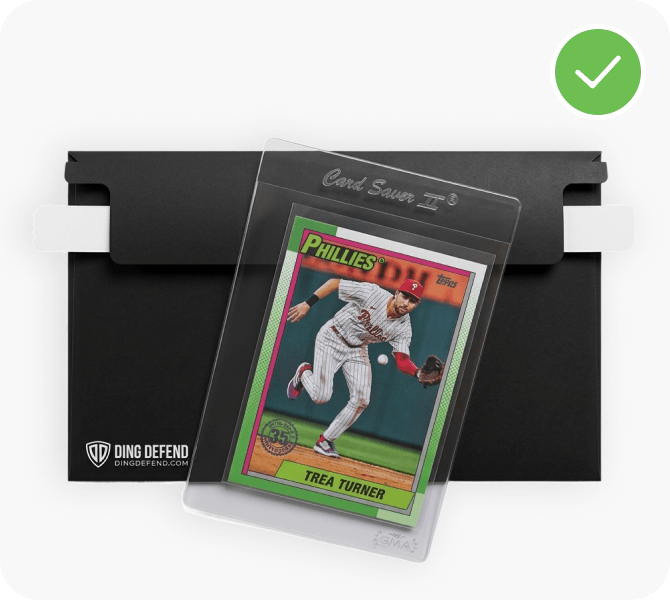
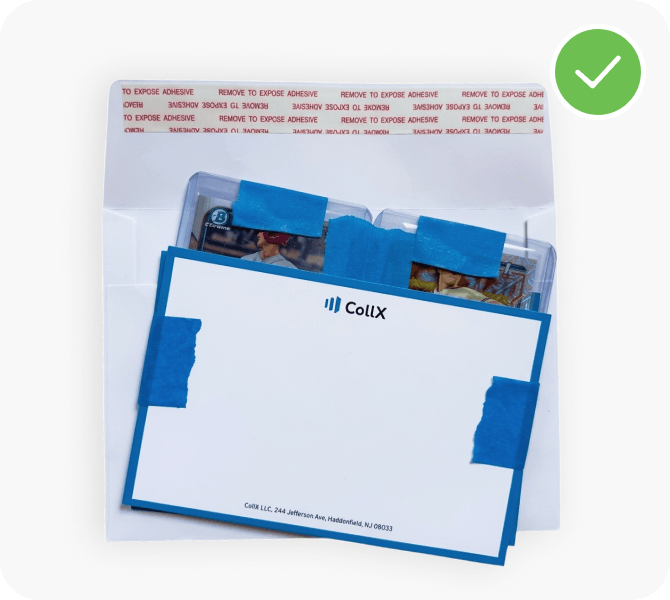
Use a regular rectangular envelope (under 11.5 × 6.125 in). If cards in top loaders or penny sleeves, sandwich them between greeting or postcard the same size as envelope, with cards anchored with painter tape to avoid slipping and stacking.
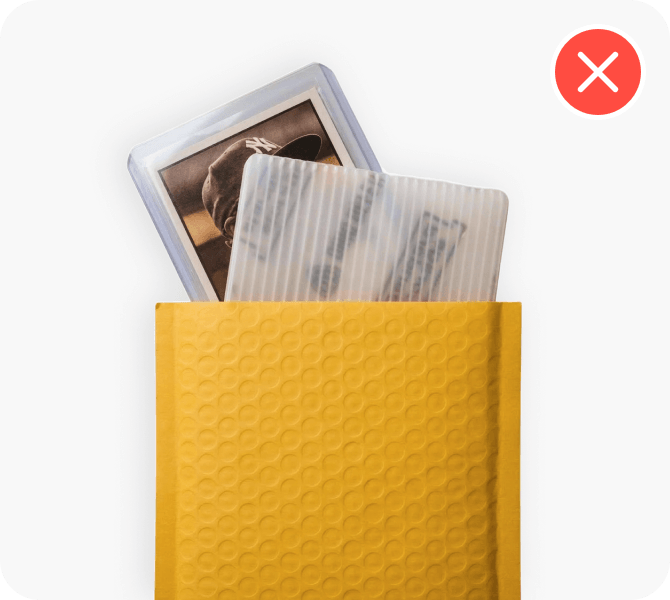
Don’t use a bubble mailer or padded mailer. Yes, we know some are thin and flexible, but just not worth the risk. And definitely don’t use thick cardboard or plastic; only thin postcard-weight.
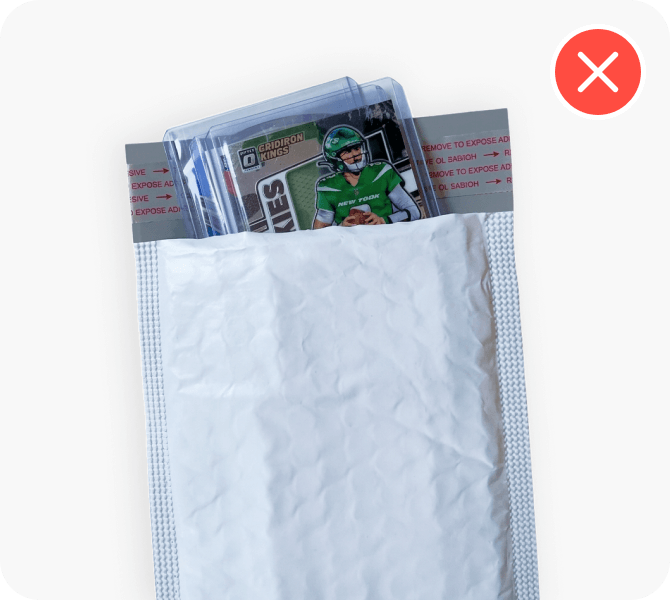
Don’t add loose top loaders that slide around. If you want to ship in top loaders, use painter tape to fix in place and avoid slipping (which can cause envelope to exceed 1/4" thickness req'd by USPS).
Standard Envelope is United States Postal Service (USPS) first class letter mail. It’s offered by marketplaces like CollX as a way to get tracked shipping for under $1, but the tracking is not a USPS service. Rather, it’s utilizing intelligent mail barcodes (IMb), a 65-bar barcode typically right above the address on labels, and enabled by the USPS to track and sort mail (not the postage barcode). That may sound confusing — if it’s a USPS barcode, how is it different than their tracking on Ground Advantage or Priority tiers? Well, the USPS is simply enabling lightweight tracking to partners via scanners on their mail sorting machines. So when an envelope with one of these codes passes through a USPS machine, it’ll register a scan and update tracking to third parties listening for these updates. CollX listens for these updates and posts them to the related order’s tracking timeline.
The most common reason you’ll “lose tracking” with Standard Envelope is because the letter did not run through the mail sorting machines and may have been marked “non-machinable.” This can happen because it didn’t conform to the USPS’s strict guidelines. The most important ones: less than 3.5oz in weight (we recommend max of 3oz), rectangular regular envelope, flexible, and uniform thickness less than ¼ inch. Whatever you do, don’t write “non-machinable” or “Do not bend” on your envelope as that is sure to get it an NM label (and we don’t mean Near Mint!).
The good news: It’ll still likely reach its destination, just not with tracking. It will almost always take longer to get there though. It’s not uncommon for non-machinable letters to take weeks or even a month to arrive! Now for the bad news: the recipient may get charged a $0.49 non-machinable surcharge or - worst case - the envelope may get returned to you with the non-machinable label and/or charge stamped on it.
The USPS may assess additional fees if your item is over the weight of the postage paid. When you get a label from CollX, it’s important that you know how that label is purchased. For CollX it’s automatically calculated based on your global shipping settings (RAW card weights) or individual weight overrides. If you’re adding additional packaging for each card, that adds weight. So just adjust your settings in CollX accordingly. If you got hit with a $5+ overage, the USPS likely deemed your item a package, requiring a minimum of USPS Ground Advantage.
NO! Lots of card should never be candidates for Envelope shipping: Graded slabs, cards in 1-touch or other hard cases, thick patch cards. All of these are problematic as they violate the USPS rules around envelope rigidity and thickness. Envelope shipping is really just for RAW cards in penny sleeves, semi-rigids, and top loaders (packaged flat, so they cannot slide and stack).
If your order appears to have lost tracking or been marked as non-machinable, it’s best to reach out the buyer before they contact you or request a refund. Photos of the item packaged for shipment, or any prior tracking updates will help. In the event that the item gets returned to you, make sure to let them know that you will re-ship with a new tracking number. It’s important to head off any dispute request, so messaging the buyer early and often is advisable—especially if you see tracking not updating.
If you’re shipping higher-value cards, package shipping (USPS Ground Advantage, UPS Ground, or FedEx Ground) isn’t just recommended—it’s the safest and most reliable way to protect your cards and ensure smooth delivery. Unlike Standard Envelope (PWE) shipping, packages are designed for durability and full tracking, with far fewer delivery issues when packed correctly. Sellers should always use a bubble mailer, padded envelope, or box, and secure cards with top loaders, card savers, or slabs, reinforced with extra cardboard for protection. For higher value sales, we strongly recommend adding insurance and requiring a signature upon delivery to reduce risk. Here’s what you need to know about package shipping, along with key do’s and don’ts to avoid damage, delays, or disputes.
Use a padded envelope or bubble mailer, and ensure your cards are sleeved (penny sleeve, top loader, or card saver) enclosed in cardboard, postcards or plastic, sealed with blue painter tape.
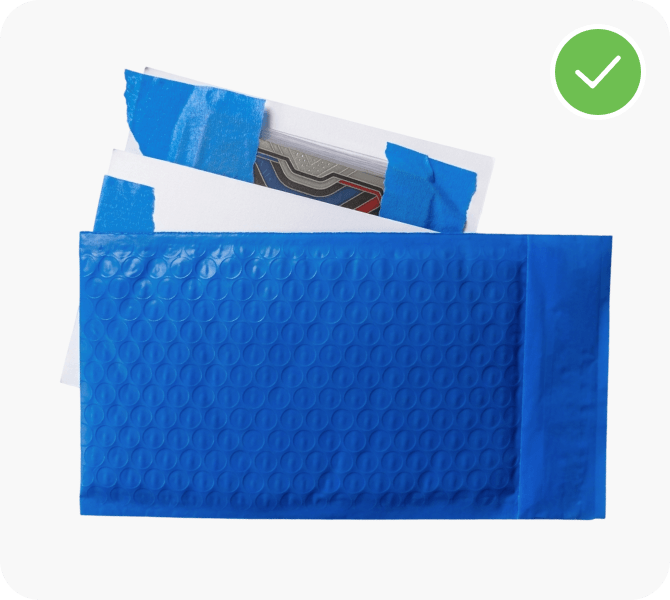
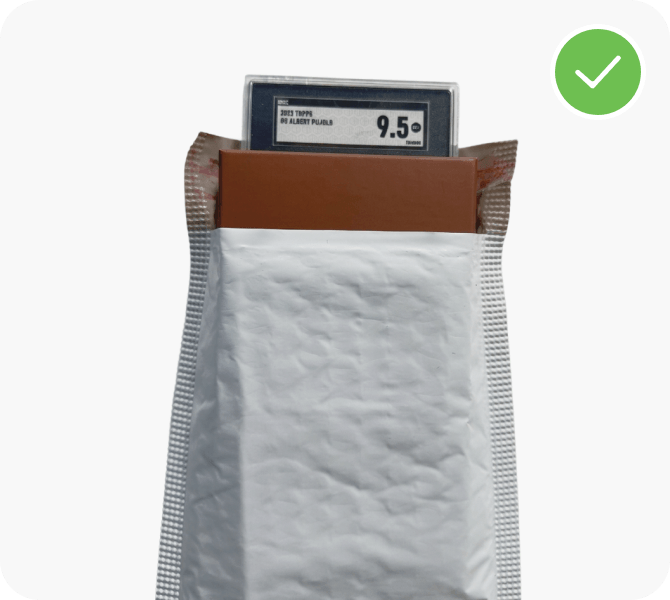
Make sure that graded slabs have cardboard or other protective layer, as these can easily crack or get damaged in transit without.
Always ship slabs in bubble mailer or box.
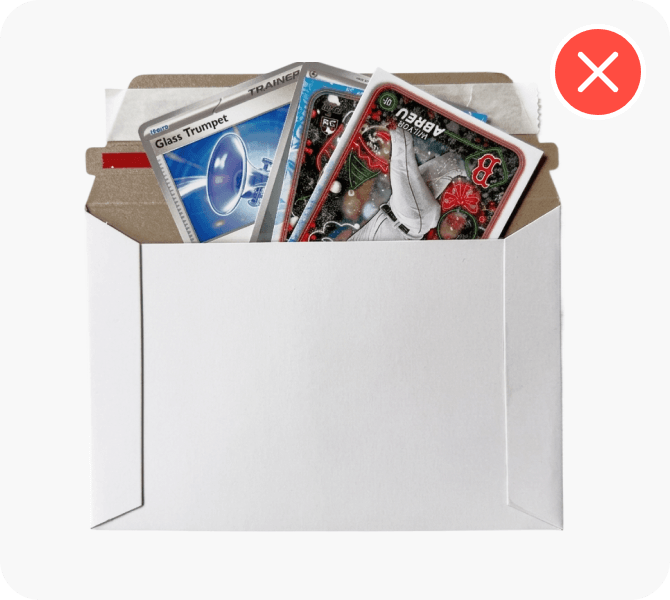
Enclose loose cards without protective layer inside, no matter how sturdy the exterior package.
Cards must always be sleeved and inside cardboard, greeting card, or other material to ensure they don't slide or get damaged in transit.
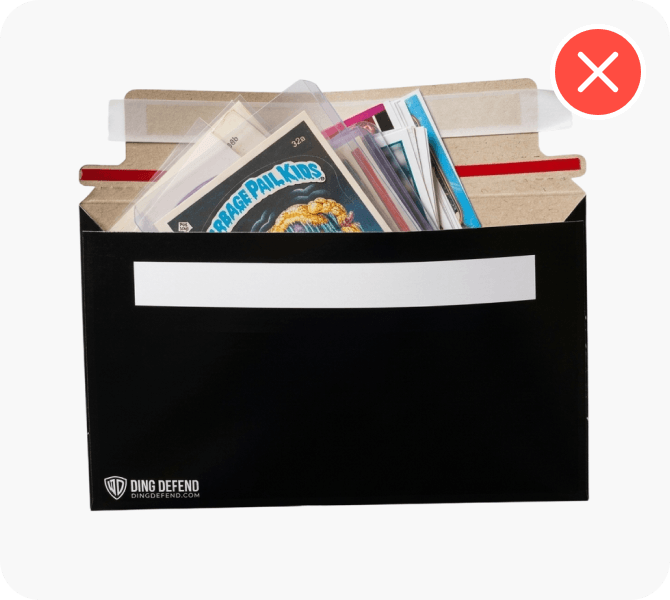
Stack large quantities of cards inside a small mailer, which will cause it to bulge or be uneven.
While most package shipping carriers do not run through mail sorters, this uneven package can cause issues, including label getting damaged or not scanned.